Automatic Transcription.
Flexible Note-Taking.

Fast, private, and offline.

Download InqScribe
InqScribe Tour

"Paddle Out" footage courtesy of www.paddleoutfilm.com

Privacy-first AI media transcription of your files that runs on your computer.

AI transcription, no subscription, no usage limits. Starts immediately, runs on your computer, and is never used to train AI models.

Media-savvy text editor.

Imagine if your text editor had a video player. Take free-form notes or fine tune your transcript, with custom snippets and search-and-replace. Insert clickable time codes to jump to precise moments, and control playback from your keyboard or foot pedal.

  Take notes flexibly

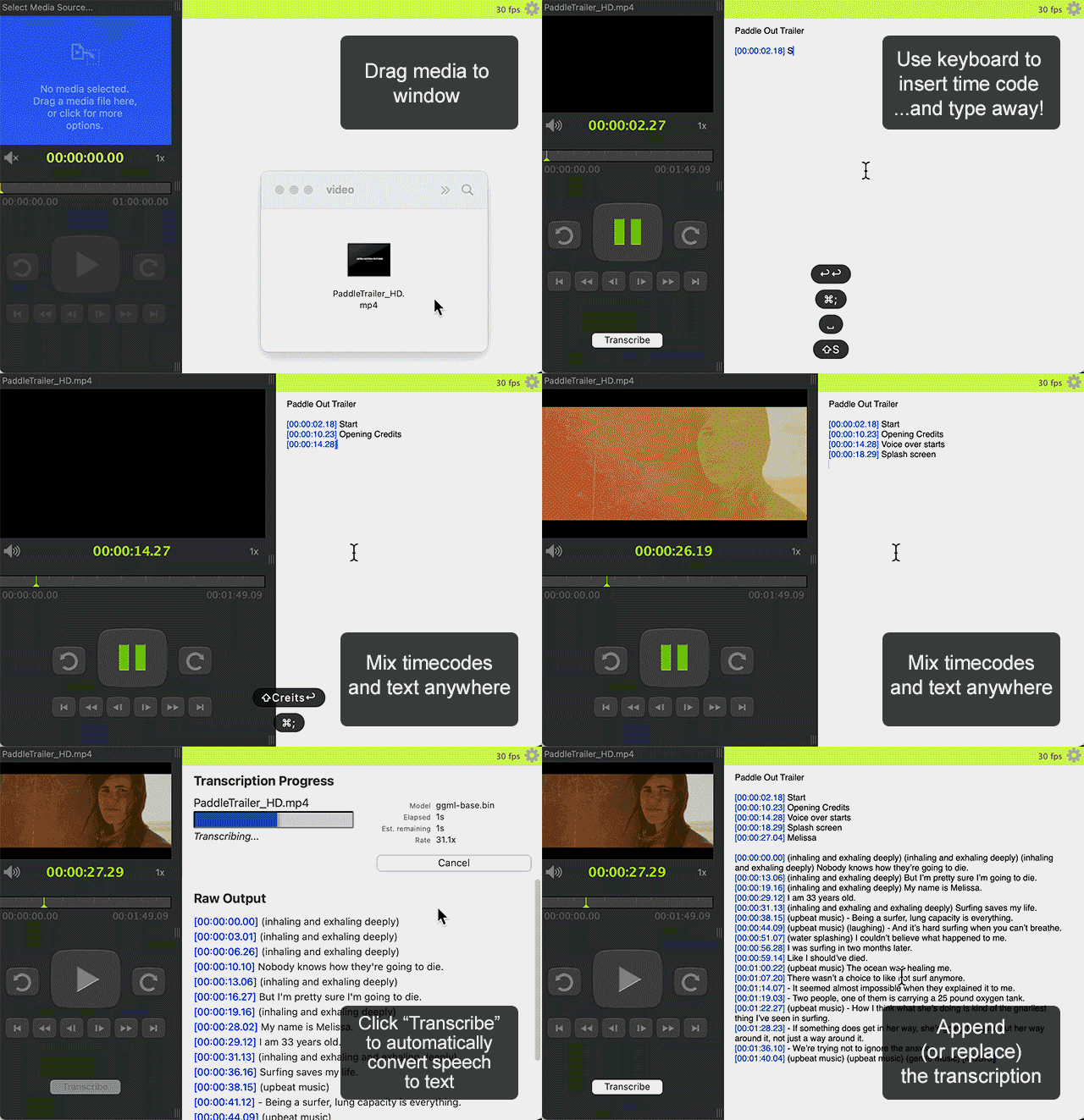
Fast, frictionless note-taking: Type freely anywhere, mix notes and transcripts, add analysis codes, or leave time-stamped comments.

Combine notes and playback in one window, no tab switching, no clutter.

Control the media while typing

Smart linking: Add clickable timecodes anywhere to jump directly to exact moments.
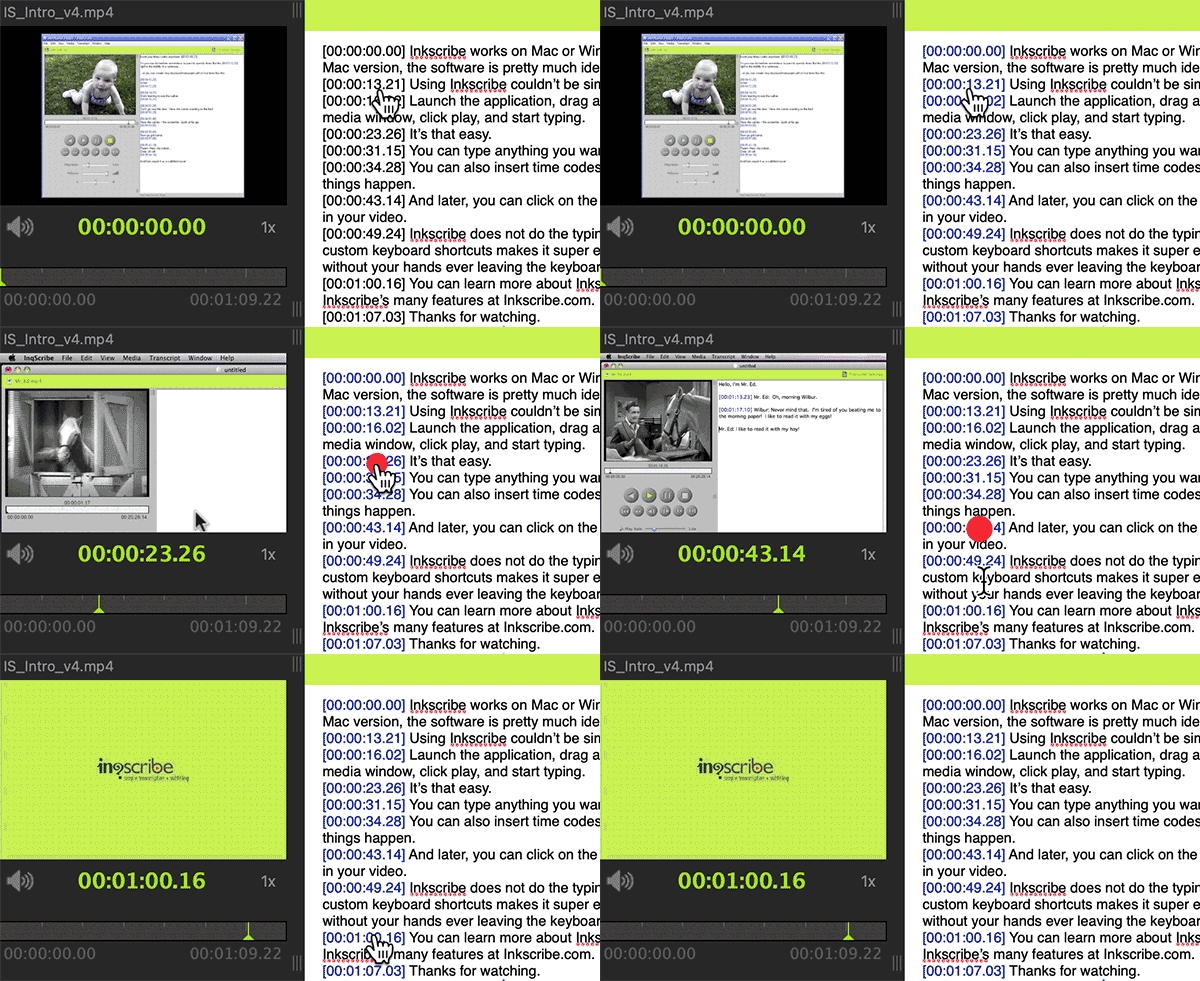
Clickable timecodes

Click on timecodes to jump

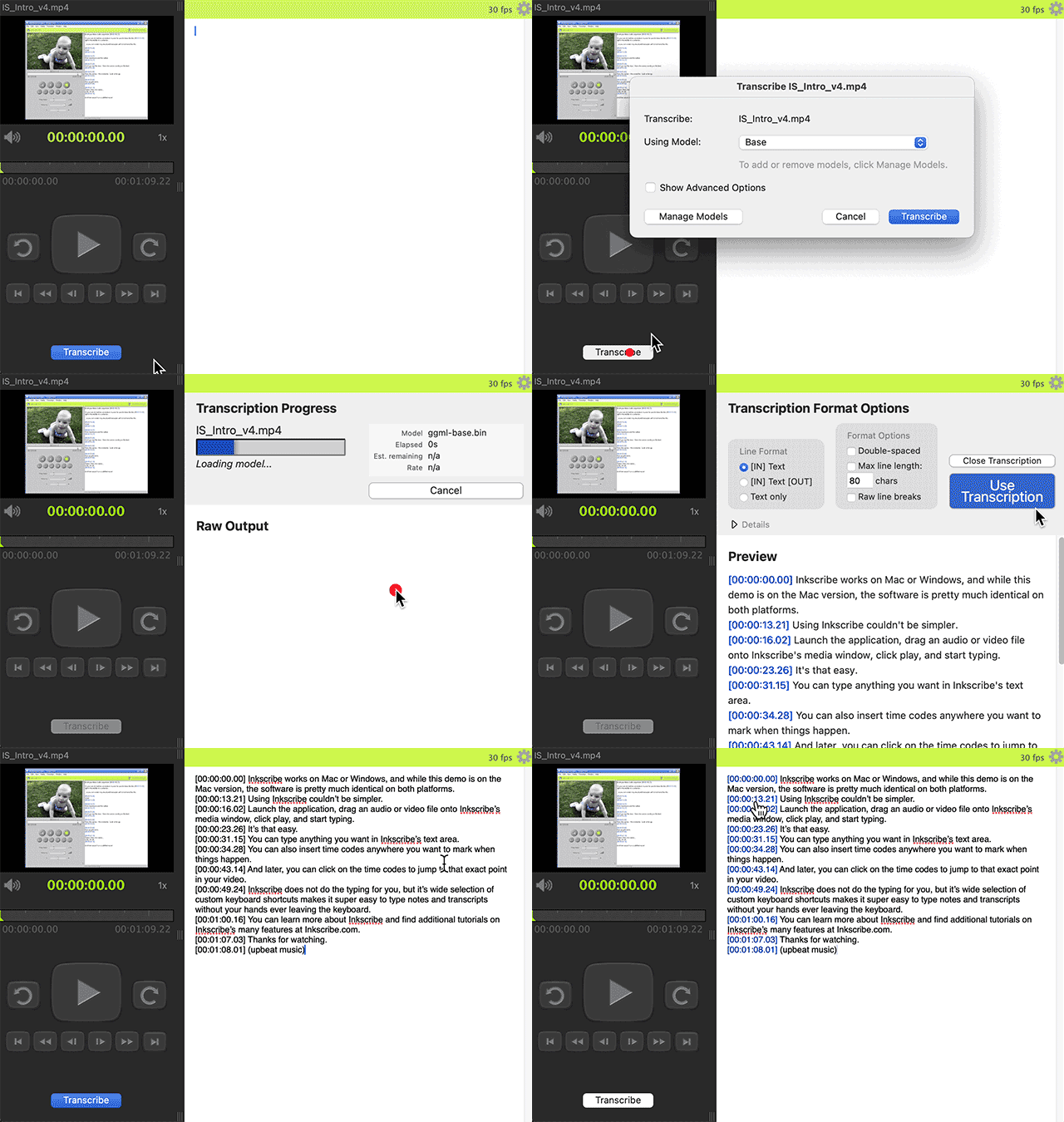
Transcribe automatically

AI-enhanced speech-to-text transcription on your computer.

  • Any media: Transcribe audio and video.
  • Unlimited length: Handle interviews, podcasts, or full-length films.
Transcription Animation

To auto transcribe, add media, click "Transcribe"

Privacy first

  • Private and secure: All transcription happens locally, no cloud uploads.
  • Protect your data: Your data never leaves your computer and is never used to train AI models.
  • Work offline: Perfect for fieldwork or classrooms. No internet connection required.

For more information, see our InqScribe and Whisper AI page.

“I'm super impressed and I LOVE that nothing is in the cloud! I will be using that feature for 100% of my transcription work moving forward.”
— Teo Keifert, Assistant Professor, University of North Texas

  Mouse-free control

Stay in flow: control playback and insert text entirely from the keyboard or a foot pedal.

Foot pedal controls

Use a foot pedal for hands-free control

Adjust speed, scrub the timeline, or skip back.

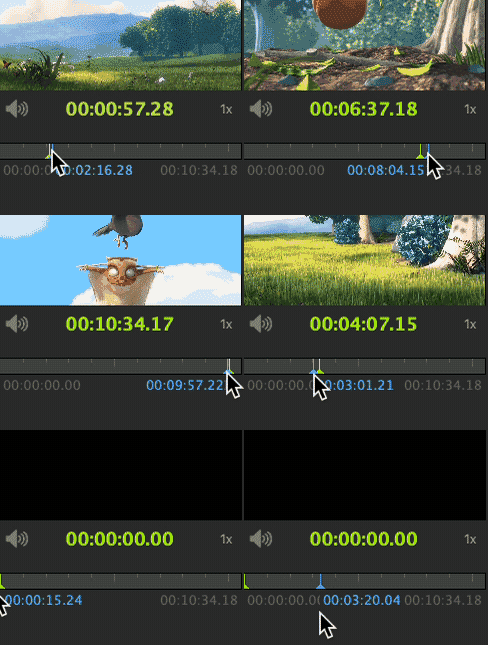
Interactive Timeline

Quickly scrub the whole timeline

  Customizable

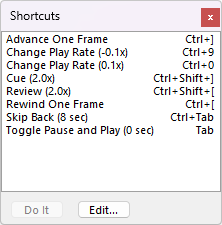
Custom shortcuts Assign keyboard shortcuts to media controls.

Custom shortcuts window

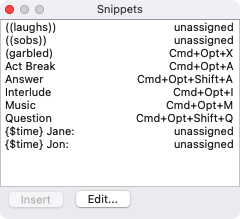
Reusable snippets: Insert recurring text like speaker names or tags.

Custom snippets window

  Caption precisely,
export anywhere

Export captions in all major formats—SRT, WebVTT, SCC, XML, and more—for Premiere, Final Cut Pro, YouTube, and broadcast systems.

  1
  00:00:05,267 --> 00:00:07,866
  InqScribe works on Mac or Windows.

  2
  00:00:07,867 --> 00:00:12,899
  And while this demo is on the Mac version, the software is pretty much identical on both platforms.

  3
  00:00:12,900 --> 00:00:15,432
  Using Inqscribe couldn't be simpler.
        

Example SRT output

[00:00:00.00] InqScribe works on Mac or Windows,
[00:00:07.19] and while this demo is on the Mac version, the software is pretty much identical on both platforms.
[00:00:13.20] Using InqScribe couldn’t be simpler.
        

Example Plain Text output

“InqScribe is an indispensable tool for transcription... fast, efficient and modifiable.”
— Stephen Ashton, Founder / Director, Napa Sonoma Wine Country Film Festival, Glen Ellen, CA

How our customers use InqScribe

Professional software that anyone can use. Learn how to use it in two minutes.

Researchers

Transcribe interviews, code qualitative data, and create subtitled presentations.

Translators

Manually translate interviews and footage into other languages, create multi-language subtitles.

Filmmakers

Log dailies, share time-stamped notes with the production team, create paper edits, export to .SRT or FCP XML.

Journalists

Transcribe, review, and share interview clips with editors.

Transcriptionists

Produce, refine, and deliver client transcripts in multiple formats.

Educators & professionals

Caption lectures, document oral histories, and transcribe legal testimony.

  Used worldwide, supports nearly any language.

InqScribe users span the globe, including the US, UK, Sweden, Egypt, and Japan. Transcribe automatically in dozens of languages, with full UTF-8 Unicode support.

Technical Requirements

InqScribe runs on virtually any recent macOS or Windows system and supports most popular media and captioning formats. For specifics, see our technical requirements page.

Download InqScribe 3

Download the new version for free!